 This is such a good article!! Several things you’ve heard me say before but check #5. Constant Contact is already offering the ability to include a shopping cart in your email! Those of you using CtCt are ahead of the game. If you arent’ using CtCt, we should talk soon!! Click here to read more.
Visual Design for Non-Designers
 Want to create better visuals for your marketing? Looking for tools and tips to help you easily create visual content?
In this podcast, you’ll find a number of tools and apps you can use to design visually compelling content like a pro. You’ll also get tips to drive more visibility for your visuals.
Michael Stelzner interviews visual content strategist and found of Socially Sorted, Donna Moritz.
Genuine Support
From third-party cookies to zero-party data: The new rules of email engagement
 “But data collection is no longer something we can do in the background. With rising privacy concerns, businesses must now lean on zero-party data.
And what better channel to invest in privacy-first communication than email? A channel where users opt in to get personalized customer experiences.
I’ll walk you through the new rules of data collection, how well-established brands are adapting, and what you can do to stay ahead.”
Back Up Your Files NOW!
Here’s the rule of thumb for when and where to back up data.
The more important the information
The more often you should back up and
The more distant those back up files should be.
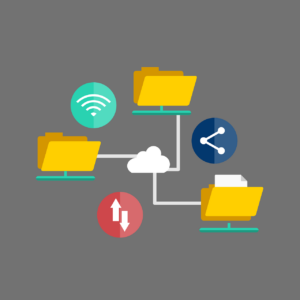
I back up my QuickBooks data every 2 days and every time I do a lot of input. I don’t want to re-build or re-do a lot of entries. So the time it takes to do the back up is a savings compared to the frustration and time required to re-do the work.
If YCL does more than 1 hour of input on a website, we back up the site immediately. No need to risk losing that work!
Really important information like a password list, payroll records, client info, photos of grandchildren, etc. should be in 2 or 3 different places. Maybe a copy on a thumb drive in your office. A copy on Dropbox. A copy on iDrive.
If the thumb drive gets corrupted, you can pull from Dropbox or iDrive. If Dropbox crashes, you can pull from the thumb drive or iDrive.
Yes, even files stored on the cloud should have back ups!
Case in point, I store all of my passwords with LastPass. It’s a great software that I’ve recommended to many of you. A month ago CenturyLink had a nation-wide system disruption that affected the LastPass servers. I couldn’t log in!! The info was still there but I couldn’t get to it. Now I am exporting the passwords once a month and storing them in Dropbox.
I highly recommend that at least one of your back ups be automated. Sync everything with Dropbox. Use iDrive. Buy an external hard drive with back up software. Automating the process will save you time and give you protection even on those super busy days where little tasks get missed.
You can set up Dropbox to automatically sync files from your computer. You can use iDrive or Google Drive to schedule back ups.
Don’t wait for a disaster to happen. Plan and implement your system now for peace of mind.
- « Previous Page
- 1
- …
- 10
- 11
- 12
- 13
- 14
- …
- 75
- Next Page »