 Here is a well-written article to refresh what you know (or teach you a new trick!) about writing good subject lines for your emails. Good subject lines = good Open Rates!
Email Marketing
 This is such a good article!! Several things you’ve heard me say before but check #5. Constant Contact is already offering the ability to include a shopping cart in your email! Those of you using CtCt are ahead of the game. If you arent’ using CtCt, we should talk soon!! Click here to read more.
Birds and Marketing?
 Why is filling the bird feeder like marketing your business? Inquiring minds want to know! Read on, my friends, for Michael Katz’ unique take on marketing.
How to know if your email is successful
700 Power Words
I frequently talk with you about having a list of your Keywords at your fingertips while you are writing blog posts, social media posts, web page content. This helps ensure that you use the best words and a mix of words for Search Engine Optimization (SEO) and for reader searches on any platform. Here is a list for you of Power Words to make your content more compelling. These are great ideas! Print this article out and keep it with your Keyword list. You can write better copy to more your marketing efforts more effective! Print this out right now!
Why Do I Have to Give My Address to Send Emails?
 This is blurb from Constant Contact explaining why an address is required on every email.
“The anti-spam laws of many countries, such as the US CAN-SPAM Act, require that you include a physical address in your email campaigns. Telling your recipients where you’re located is one way to show them that the email is coming from a legitimate source.”
You can use a PO Box, a postal service address or something other than a street address. But some legitimate address is required.
Grow Your Email List
MailChimp
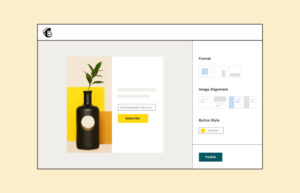
MailChimp reports an average increase of 60% for clients who use a pop-up to encourage people to opt in for their newsletters. But there is a right way and a wrong way to build and present your pop-up. Read this article to learn best practices.
Sales Emails
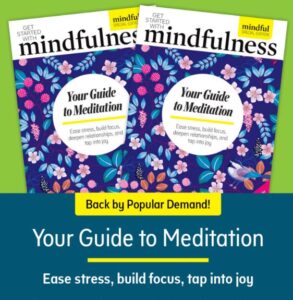 I think this is a very excellent example of a sales email. It is promoting book sales. It could just as easily be used for a webinar, a class or an event.
- You see an image of the front of the book
- You see the costs
- You see a short description written with bullet points
Then there are images and descriptions to address specific pain points. After each section, there is a Buy Now button. The images “say” more than the descriptions.
In closing, there is another image of the book cover and a description. The costs are repeated.
So this is a fast skim to see if the information applies to me. The email keeps my attention by addressing specific pain points and different levels of need. They start with How to Meditate and move to How to Deepen Your Practice.
This email has a much greater chance of grabbing my interest than a message that has 1 description and 1 price. Especially if that description is long and wordy!
Only One Gmail Inbox
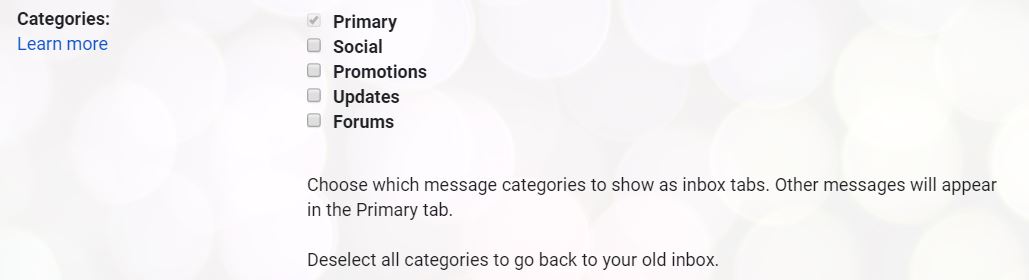
Having an Inbox, Social and a Promotions tab is too much!! Sorting is supposed to help but it just mucks things up for me.
So turn the extras off.
In Gmail,
- Go to Settings
- Settings
- The Inbox tab
- In the Categories section,
- Un-check Social, Promotions, Updates, Forums
- At the bottom of the page, click the Save Changes button
Go back to your Inbox. There’s only 1!!!!
- « Previous Page
- 1
- 2
- 3
- 4
- …
- 9
- Next Page »